 FolderAtlas
Search and filter
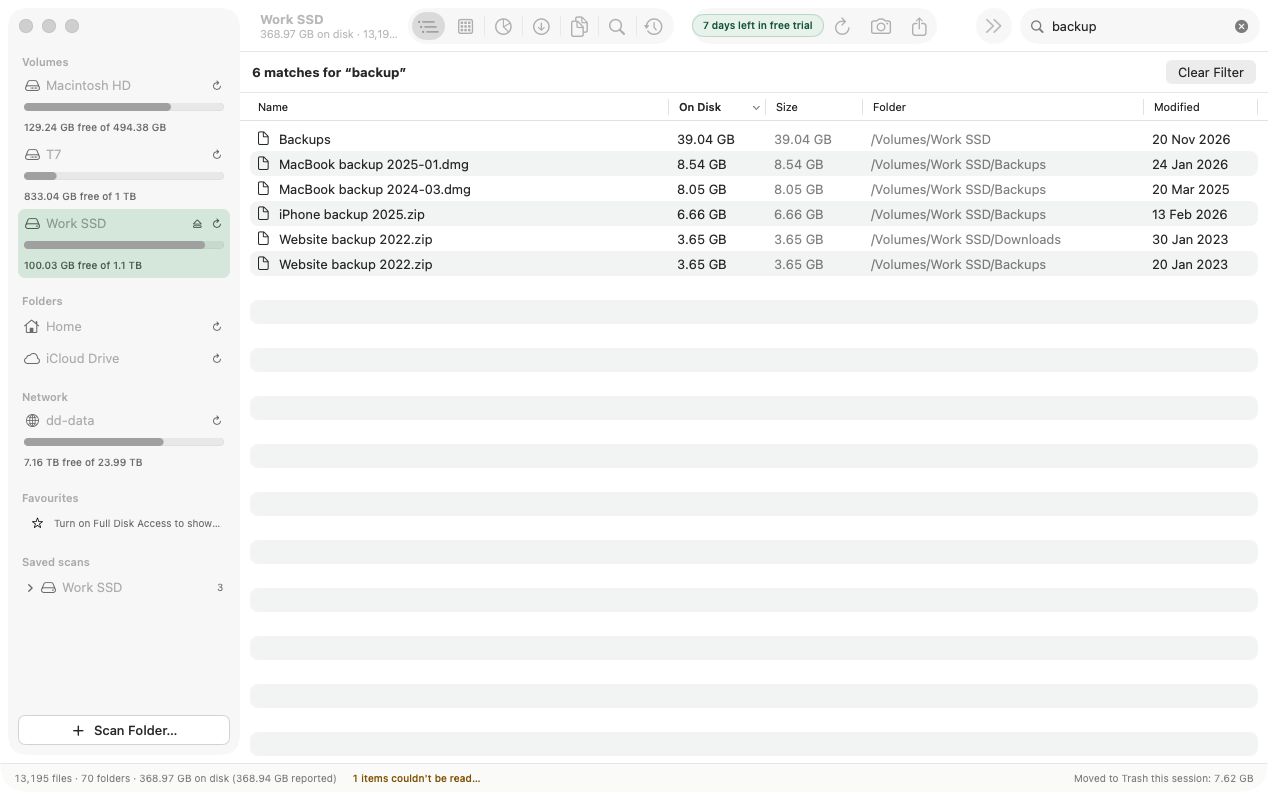
FolderAtlas has two ways to find files in a scan. The Filter by name field in the toolbar finds files and folders whose name contains what you type. The Search view combines name, kind, size, age and owner.
Filter by name
Type in Filter by name in the toolbar. FolderAtlas switches to the Tree view and replaces the tree with the matching files and folders from the whole scan, largest first (up to 500). Click Clear Filter to go back to the tree.
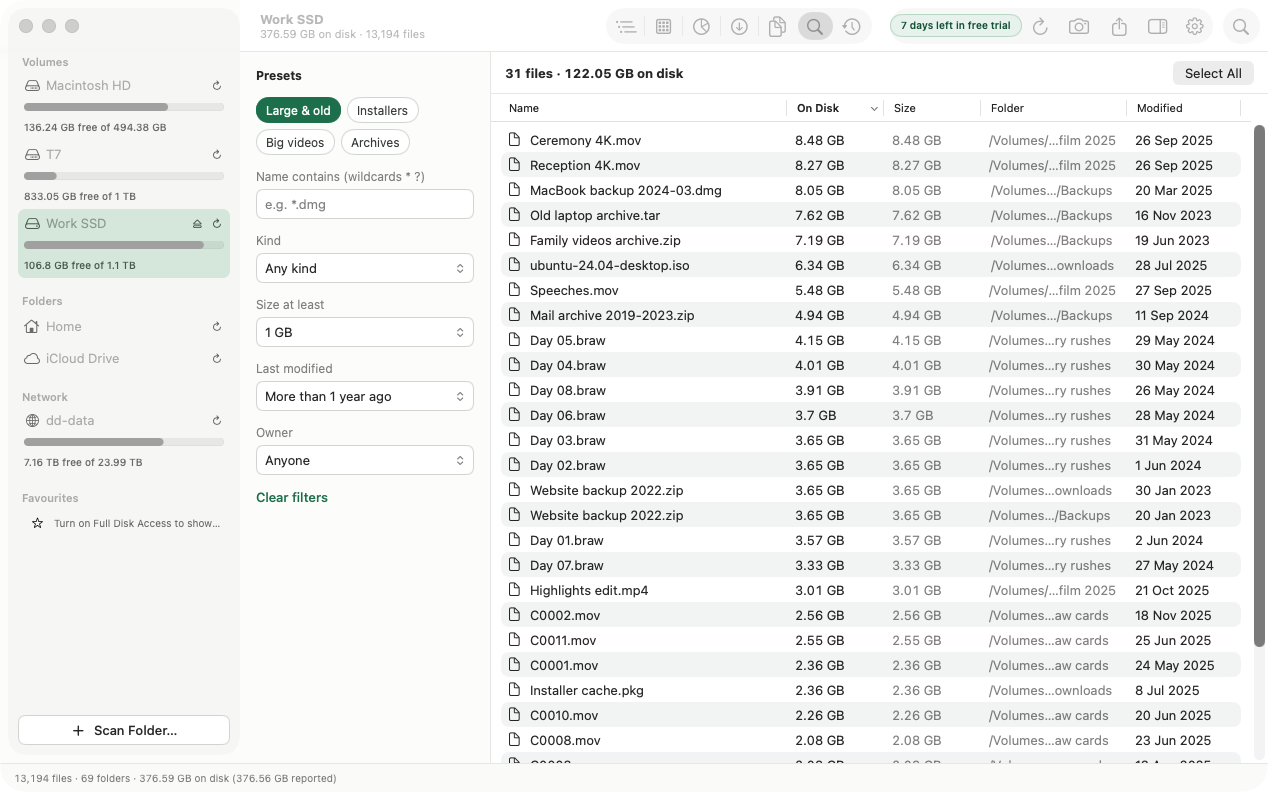
The Search view
Switch to Search (⌘6). Search looks at files in the folder you are focused on, or the whole scan.
| Filter | Options |
|---|---|
| Name contains | Any part of the name. Use * and ? as wildcards, for example *.dmg. Not case-sensitive. |
| Kind | Any kind, Video, Disk images, Archives, Apps, Photos, Documents, Other. |
| Size at least | Any size, 100 MB, 1 GB, 5 GB. |
| Last modified | Any time, or more than 1 week, 1, 3 or 6 months, or 1, 2, 3, 5 or 10 years ago. |
| Owner | Anyone, or one of the users who own files in the scan. |
Filters combine: a file must match all of them. Clear filters resets everything.
Presets
| Preset | Finds |
|---|---|
| Large & old | Files of 1 GB or more that have not been modified for over a year. |
| Installers | Disk images and packages. |
| Big videos | Video files of 5 GB or more. |
| Archives | Compressed archives such as .zip. |
Work with the results
The header shows how many files match and their total on disk. The list shows the largest 1,000.
- Select All selects every listed file.
- With files selected, use Move to Trash…, or the Actions menu for Move to…, Copy to… and Export List….
- Press Space for Quick Look, or double-click to reveal a file in Finder.
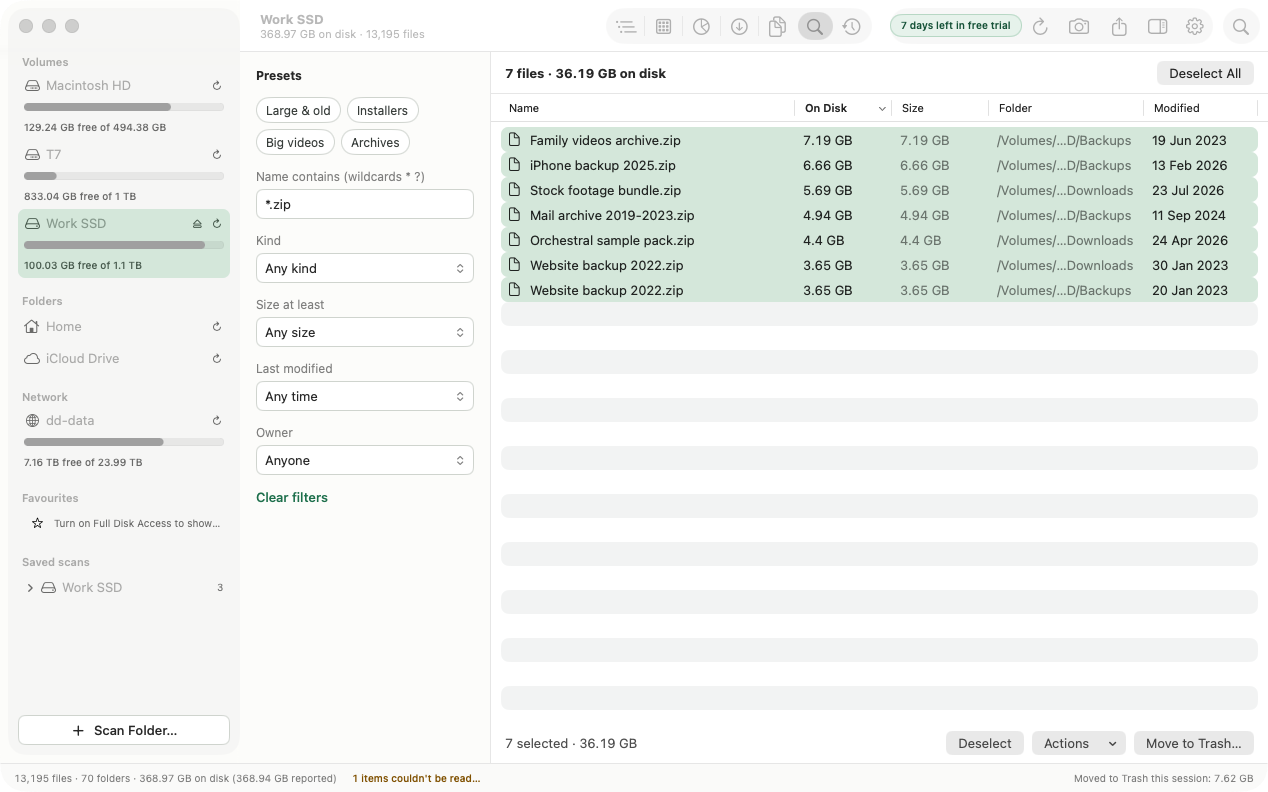
Move to… relocates files to a folder you pick, which is useful for shifting large files to an external drive. See Cleaning up.
Last updated: 20 November 2026