 FolderAtlas
Using the file types view
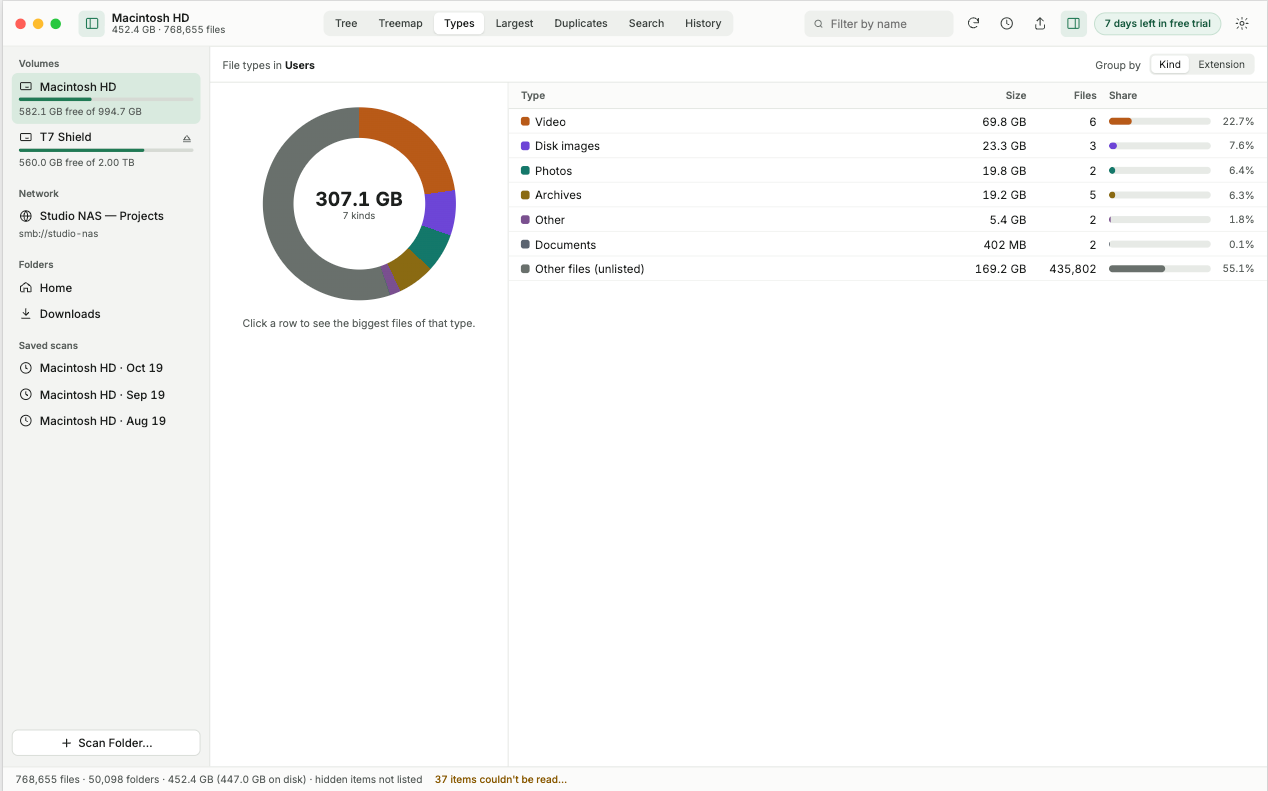
The file types view totals the scan by kind of file. Use it to learn whether your space is going to video, disk images, apps, photos, archives or something else.
Reading it
The chart shows each type's share of the total. The table lists every type with its total size, the number of files and its share as a bar. Types are sorted largest first.
What the common types tell you
| If this is large | Look at |
|---|---|
| Video | Movies, screen recordings, exported projects and downloaded films. |
| Disk images and installers | Old .dmg and .pkg files in Downloads. Once an app is installed, its installer is usually not needed. |
| Archives | .zip files you have already expanded, so the contents exist twice. |
| Apps | Large applications you no longer use. |
| Photos | Photo libraries and exports. Check for exported copies of pictures that are still in your library. |
To find the actual files, switch to the largest files list.
Last updated: 19 November 2026