 FolderAtlas
Using the largest files list
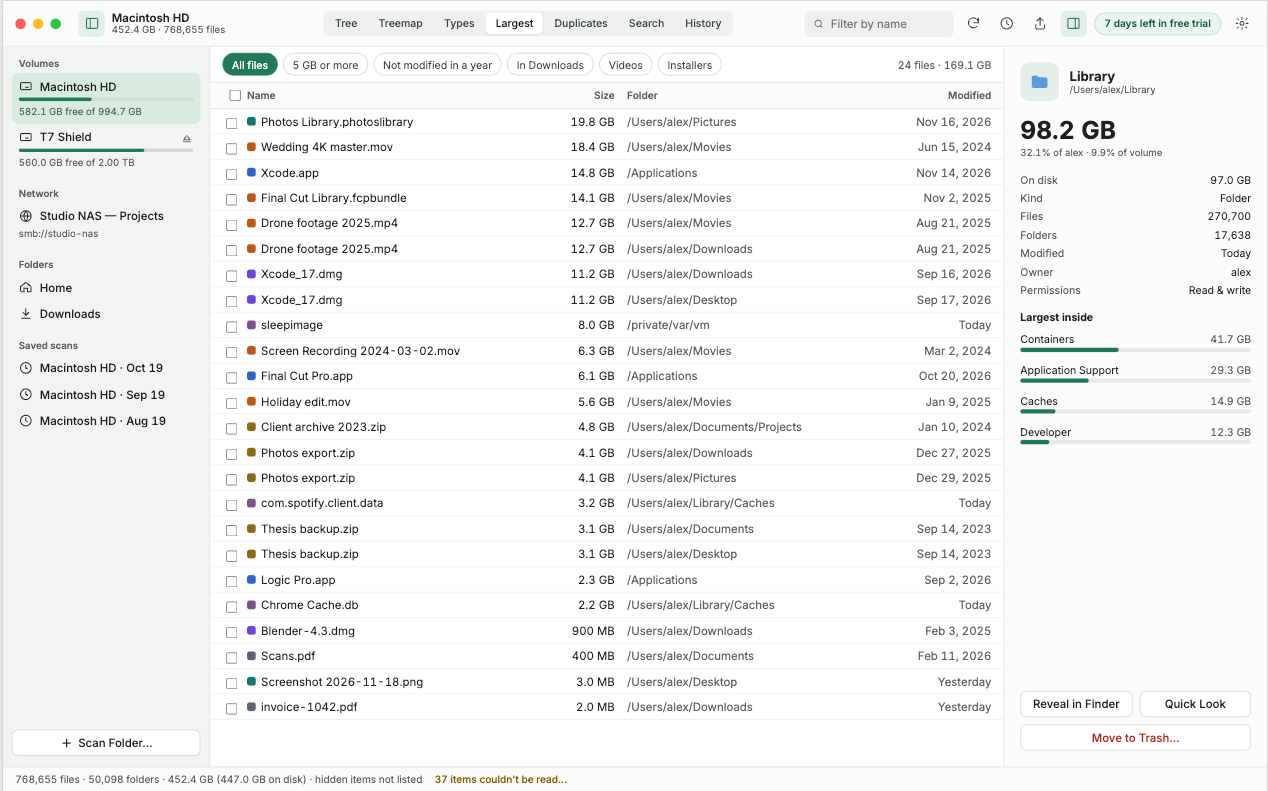
The largest files list shows the 100 biggest files in the scan, with the folder each one is in and when it was last modified. It is usually the quickest way to free a lot of space.
How to work through it
- Read down from the top. The first twenty rows often account for most of what can be reclaimed.
- Check the Folder column. Files in Downloads and on the Desktop are the easiest to judge.
- Check the Modified column. A large file you have not touched in years is a good candidate.
- Select a file to reveal it in Finder, or move it to the Trash.
Files to leave alone
Some large files belong to macOS or to apps and should not be removed by hand:
sleepimageand swap files under/private/var/vm. macOS manages these.- Photos, Music and video-editing library files, unless you intend to delete the whole library. Manage their contents from inside the app.
- Anything under
/System.
For more, see what is safe to delete on a Mac.
Last updated: 19 November 2026