 FolderAtlas
Settings
Open Settings with ⌘, or the gear button in the toolbar. There are six tabs: General, Scanning, Notifications, Schedules, Purchase and About.
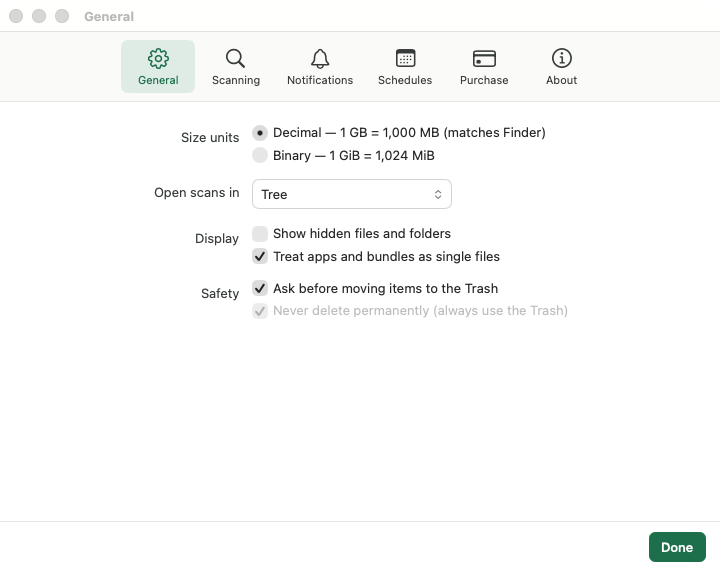
General
| Setting | Default | What it does |
|---|---|---|
| Size units | Decimal | Decimal counts 1 GB as 1,000 MB, which matches Finder. Binary counts 1 GiB as 1,024 MiB. |
| Open scans in | Tree | The view shown when a scan finishes: Tree, Treemap, File Types or Largest Files. |
| Show hidden files and folders | Off | Lists items whose names start with a dot. They are counted in totals either way. |
| Treat apps and bundles as single files | On | Shows an app or a photo library as one item with its total size. Applies from the next scan. |
| Ask before moving items to the Trash | On | Confirms each Move to Trash. |
| Never delete permanently | Always on | FolderAtlas only ever uses the Trash. This cannot be turned off. |
Scanning
Skip these
Add folder or file names that every scan should leave out, such as node_modules, or a pattern such as *.photoslibrary. FolderAtlas suggests common ones. Patterns match an item's name, not its full path.
Excluded items are not counted in totals, so use this for things you never want to see, not as a way of hiding something temporarily. Exclusions apply from the next scan.
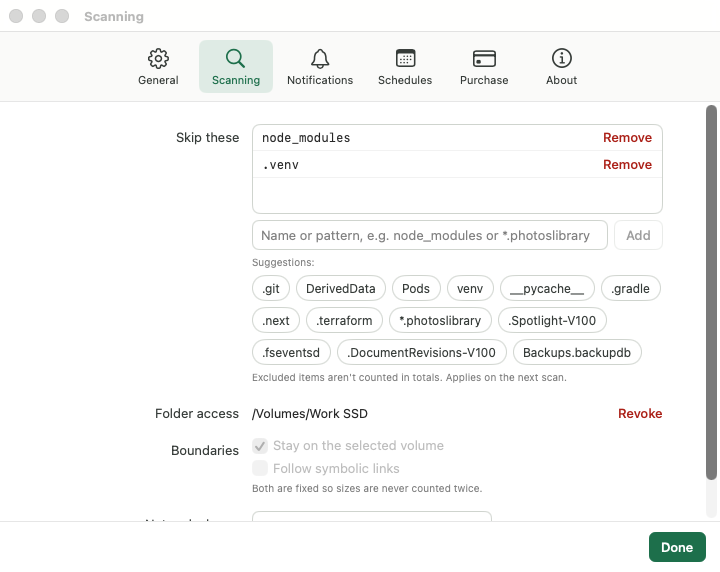
Folder access
The drives and folders you have allowed FolderAtlas to read, each with a Revoke link. See Full Disk Access and permissions.
Boundaries
A scan always stays on the volume you chose and never follows symbolic links. Both are fixed, so that nothing is counted twice.
Network shares
Gentle, Balanced (default) or Fast. See External and network drives.
Notifications
| Setting | Default |
|---|---|
| Warn when free space drops below | On, 50 GB (choices: 20, 50, 100 GB) |
| Notify when a scheduled scan finishes | On |
| Show free space next to the menu bar icon | Off |
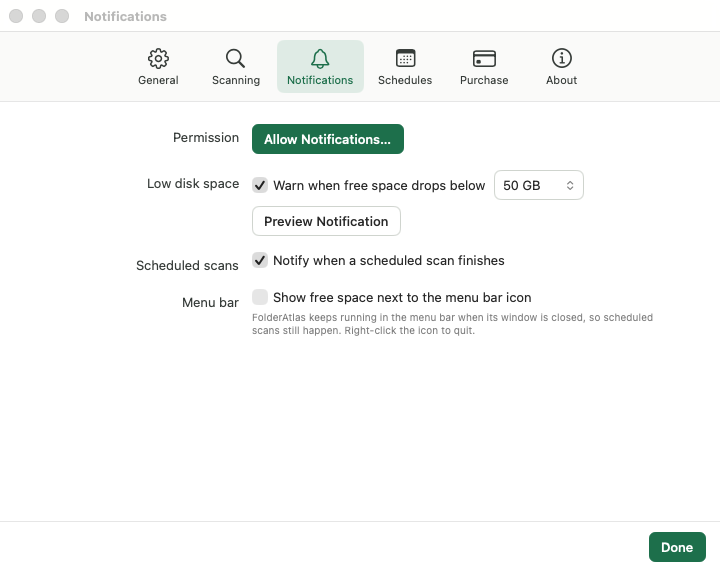
See Menu bar, notifications and Finder.
Schedules
Your scheduled scans, and Start FolderAtlas at login (off by default).
Purchase
Your trial or subscription status, with Subscribe, Manage Subscription and Restore Purchases. See Free trial and subscription. Updates are delivered by the Mac App Store.
About
The version number, and links to this website and the Privacy Policy.
Last updated: 20 November 2026